AJMarekArt
patreon
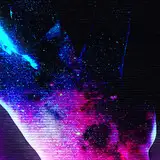
Though it would be cool to share how I made the background for the last short! Been a while since I've done one of these.
Also, be sure to check out the poll I just posted. Trying to plan my content for the coming month(s).


Nice 👍
Yes, there are shape tools and I think you can even keep them as vectors. I just don't like using adobe Illustrator much, so I don't use it often. I use a big canvas AND big resolution. I like to allow a lot of space to move the camera around for zooming in without it becoming pixelated. As for blending modes, it varies, but it's usually the "multiply", "overlay", and "hard/soft light" ones.
Wow! I guess that makes sense, Photoshop has a few tools similar to the ones in Adobe Illustrator, doesn't it? That's how you could get those perfect geometrical shapes and patterns. So is it literally a big canvas, or a high resolution? Or both? No need to make a full tutorial, unless you want to :) I was mainly curious which blend mode you use. I typically use "Multiply" and set the opacity super low, somewhere between 10 and 20%.