y.v.
patreon
Main New Features
Many features have been rewritten from the start compared to V0.4, please start a new game.
V0.4 saves will _not_ work. Positively. V0.4 multiverse pods will!
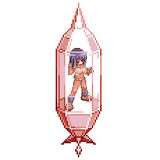
Multiverse Pod Item Retrieval Procedure
Downloads
Fixes V0.5c
Changes V0.5b / 0.5a vs. 0.
Detailed Change List V0.5 vs. V0.4c
Bugfixes vs. V0.4

I still don't see the walkthrough. Can you double check please? Edit: it is there. The Label just says "Download" so I didn't find it at first.
Sorry, must have gotten lost when updating the release notes. I added it again: https://www.patreon.com/posts/v0-5-release-81740090
I do not see the walkthrough for 0.5. Please advise
For the later versions from V0.6 or V0.7 definitely. For the early versions I thought the "carry items over" and replay is ok as grind level is kept low.
Are you gonna give a midpoint option so people don't have to keep starting over?
New one: https://discord.gg/eBqAsxM6 (valid for seven days, seems to be discord policy)
I have Discord and an account, but I've never really used it. I just tried using the Discord link you posted last December, but it says "Invite Invalid".
use on cargo bay terminal. And buy expensive gear to put into.
I am running it on a 2018 MacBook Pro and macOS Mojave 10.14.6. Upgrading to anything beyond Mojave (the latest macOS is Ventura 13.3.1) would make my older 32 bit Steam games unplayable, so I've held off. That might be the problem? Game files go wherever I put them, but saves are stored separately in Library/RenPy/SpaceJourneyX. Here's the rest of the crash report if that helps: -- Full Traceback ----------------------------------------------------------- Full traceback: File "game/03_GAME.rpy", line 58, in script call call navigate() from _call_navigate File "game/500_navigator/510_navigate_ship.rpy", line 391, in script call call use_item(_return[1], useItem) from _call_use_item File "game/600_interact/600_interact_room.rpy", line 17, in script call call multiverse_manager() from _call_multiverse_manager_1 File "game/650_trading/650_cargo.rpy", line 351, in script python: File "/private/var/folders/_g/mrw465hj39nb28024jb95mg40000gn/T/AppTranslocation/E4272D99-A29E-47AA-A712-416F34449864/d/SpaceJourneyX.app/Contents/Resources/autorun/renpy/ast.py", line 928, in execute renpy.python.py_exec_bytecode(self.code.bytecode, self.hide, store=self.store) File "/private/var/folders/_g/mrw465hj39nb28024jb95mg40000gn/T/AppTranslocation/E4272D99-A29E-47AA-A712-416F34449864/d/SpaceJourneyX.app/Contents/Resources/autorun/renpy/python.py", line 2245, in py_exec_bytecode exec(bytecode, globals, locals) File "game/650_trading/650_cargo.rpy", line 352, in with open(config.gamedir + "/multiverse_pod.json", "w") as f: File "/private/var/folders/_g/mrw465hj39nb28024jb95mg40000gn/T/AppTranslocation/E4272D99-A29E-47AA-A712-416F34449864/d/SpaceJourneyX.app/Contents/Resources/autorun/renpy/compat/__init__.py", line 94, in compat_open return python_open(*args, **kwargs) IOError: [Errno 30] Read-only file system: u'/private/var/folders/_g/mrw465hj39nb28024jb95mg40000gn/T/AppTranslocation/E4272D99-A29E-47AA-A712-416F34449864/d/SpaceJourneyX.app/Contents/Resources/autorun/game/multiverse_pod.json' Darwin-18.7.0-x86_64-i386-64bit Ren'Py 7.4.11.2266 Space Journey X 040_c1 Wed Apr 19 11:43:27 2023
I tested it on a single user osx and also win 11 environment and it worked. I would be interested to get to the root of this though. Can you contact me on discord or the bug channel on discord?
It's a file access issue I assume. i can see you are running it on a osx read only location or some kind of emulator? It says read only file system? The game needs write access on its own game folder
I just tried to use the Multiverse Pod on version 040_c1 for Mac and I'm getting a crash right after the MC says "Let's hope I will see them again in another universe." The new file never appears as far as I can tell. I'm sorry, but an uncaught exception occurred. While running game code: File "game/03_GAME.rpy", line 58, in script call call navigate() from _call_navigate File "game/500_navigator/510_navigate_ship.rpy", line 391, in script call call use_item(_return[1], useItem) from _call_use_item File "game/600_interact/600_interact_room.rpy", line 17, in script call call multiverse_manager() from _call_multiverse_manager_1 File "game/650_trading/650_cargo.rpy", line 351, in script python: File "game/650_trading/650_cargo.rpy", line 352, in with open(config.gamedir + "/multiverse_pod.json", "w") as f: IOError: [Errno 30] Read-only file system: u'/private/var/folders/_g/mrw465hj39nb28024jb95mg40000gn/T/AppTranslocation/E4272D99-A29E-47AA-A712-416F34449864/d/SpaceJourneyX.app/Contents/Resources/autorun/game/multiverse_pod.json'
From V0.5 easily (you can put in 4 Mio valued bots, 30 high end engines for 500,000 each.... etc. In V0.4 I recommend to buy the most expensive stuff (150k Uplinks, ...) and put in in there. Conceptually I thought that physical items transferring making more sense and making it a bit of a puzzle. Credits would be virtualized in any conceivable tech future so somehow won't fit the picture imho.
will i transfer my $9mil plus credits ?
Ok think I got it. can I take my $9mil plus credits too ?
It will "vanish" afterwards
Use at your cargo terminal and then dump your stuff in
Got multiverse pod. No idea how to fill it ? Do I simply eject when active in use mode ?
Yes, I will send them out in an hour or so (19.04. GMT 14:00). Its compiling and uploading right now... ;)
huh? today is 19.4 so VIP Should get link to 0.5