KageDesu
patreon
Added new parameters to placement items:
New parameters for placement item
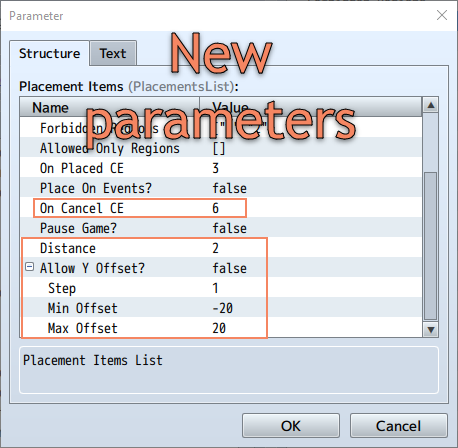
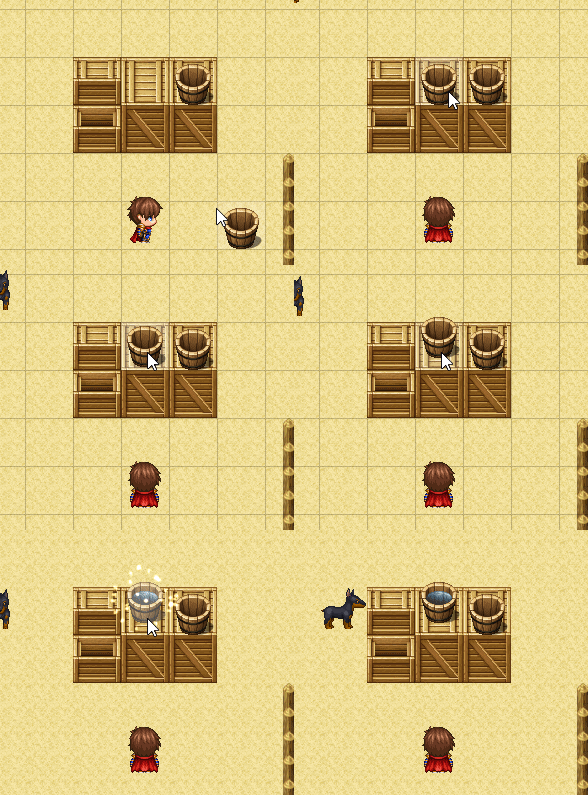
Since version 1.2 you can change placement item height offset, it’s really cool feature that’s allows you
add something like player house decoration to your game
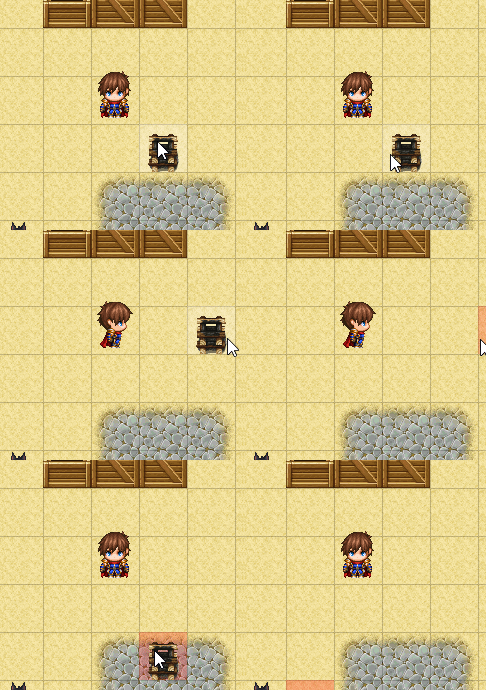
Since version 1.2 you can set maximum distance for item placement
==============================================
Web Page: https://kdworkshop.net/plugins/pocket-events/
Demo Project (based on 1.0): https://dl.orangedox.com/PocketEventsDemo
Plugin file (MV, MZ) download from attachments

I know you can enable placement with the keyboard. Is there also a way to disable the ability to place with the mouse?
Thank you for report
And it does't work with VisuMZ-Event-Move-Core
Hi. Your Plugin is fantastic. Nonetheless, it has a little bug. The bug is when you put items on template map, (For example, 4 items), but only select 3 or less items in placement list. For now, u cannot place item on other maps. It does not affect the function, just makes confusion when I first use it. Hence, Just make sure the quantity of items in placement list is equal the quantity of items on template map.