HoloExe
gumroad
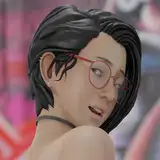
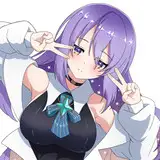
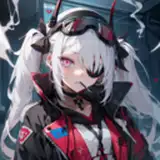
After Holo success, it motivated me to make another avatar of the same style. Close to 1000 hours has been spent working on Ryuu, she is supposed to be Holo succesor. Not only does she feel very similar to Holo but she is also very much improved on a lot of aspect. If you enjoyed Holo you will enjoy Ryuu! Almost everything on this avatar is made from scratch by me. Hope you like her as much as I do ♡
I also offer Upload Services in my server for 10 USD.
She is cheap because I planned to make her affordable from the start!
If you post pictures of her on Twitter tag me, I would love to see ♡
Arkit Face tracking - Gogoloco with flying - Lite version - 9 Super lights Points with Shapekeys and sound fx - Lollipop - Posable Lollipop - Streamer safety toggle - Eye close control with trigger and individual eye close with both triggers - Everything built-in into 1 version of the avatar - Lots of color adjustment possibilities - Gun with complex ammo system - Blades you can play with that have dynamic slash, different attacks and stab effect - Lots of Dynamic contact features - Desktop friendly toggles - Non-destructive gestures in face tracking mode - Face expression toggle - Everything is toggleable - Audio Link - Everything necessary is included at download for ease of upload - And more
- Manual control toggles available for everything; for desktop or for debugging.
-Individual and combo toggles to disable touch contacts, if you do not want effects whenever you are touched.
-Mute sound toggle for physical touch features.
-Self interact toggle for physical touch features.
-Everything is individually toggleable.
-Certain clothing toggles will reset whenever the avatar is loaded again; for your account/stream safety.
Avatar credit: Head - Body - Hair Texture - Matcaps - Body Addon / Tools - Lollipop - Sound FX - Locomotion - FTT - Fire Shader - Everything else by me
Showcase credit: Clikk for recording and video editing - ItsLeonieVr for modeling and pictures
Special thanks to all my beta testers and early access promoters, without you my avatar wouldn't be bug free ♡♡♡
Join my discord server to stay up to date with my releases!
The shaders used are: poi_Toon_7.3.50_UpTo_9.0.57 Included in the Ryuu shaders package.
V.1.03: Higher quality face, skin shader rework, making a sad face in FT mode make face cry, fixed a small body texture bug.
V.1.02: Lots of gun bugs fixes, Lightning Setting rework, unoptimized layer no longer necessary for editing.
V.1.01: Fixed an issue with the skin radial turning the eyes red.
Create a new "Unity 2022.3.22f1 Avatar Project" using the Vrchat CreatorCompanion.
Install VrcFury in your CreatorCompanion using this guide and add it to your project.
Add Audio Link to your project using the CreatorCompanion.
Open the new unity project and import "Ryuu Shaders unitypackage"
"optional but recommended, 1 animation will break without it" Grab Rollthered Fire shader in their discord server for the aura effect on certain items. The exact fire shader used is "Rollthered_Fire_Redux_9-29-22" which can be found in their "Fire-Shader" channel in their discord server.
Import the Avatar Package.
Open the avatar scene found in the "Ryuu HoloExe" folder.
Either pre-lock all the materials found in the "Mats and Text" folder before upload or re-upload the same version twice. This is only necessary for the very first upload of the PC VERSION after importing the package.
Read this before sending a message in my discord server.
Q. I cannot upload the avatar, I am getting an Error message.
A. Make sure VrcFury is added to your project through the CreatorCompanion.
Q. Some textures look weird or color customization doesn't work.
A. Re-upload the same version again, this is a first time import upload bug.
Q. I still have issues/bugs with her.
A. Make sure you are trying to upload her in a Brand New unity project. Some prefabs/shaders could interfere with my package. Also make sure you are using Unity 2022.3.22f1 Avatar Project. In some rare cases, the creator companion and unity need to be reinstalled, make sure your unity is installed throught the creator companion and NOT the unity hub.
![Ryuu [FT | PC]](https://img10.leaqio.com/storage/7/op/pe/9e04c0-019e8e06-0457-766d-b3a0-ac9aed84f1f1.png)