TOOL v2.7 - The "Stay Open" Update RC2
🕑 Added 2023-10-27 16:28:08 +0000 UTCEDIT: RC2 now available to fix visual glitches with the 10/31/23 game patch.
Hey Guys, TOOL just got a workflow improvement that should make it much faster to use for tedious adjustments. Especially if you're using TOOL in live mode. As a reminder, to use TOOL in buildmode you need both TOOL and Better BuildBuy.
Enjoy!
2.7 UPDATE:
- TOOL now has a Stay Open option in settings that will repeat the last command until the user click cancel.
- By feedback patrons' decision, the stay open option is on by default. If you prefer not to use this option, please be sure to turn it off in settings when installing a fresh copy of TOOL.
- Fixed a specific scenario where the move grid does not disappear, triggered by deactivating all objects before clicking OK to the move prompt.
Public Release set for 11/20.
Thanks everyone!
===Previous Updates===
2.6.4 UPDATE:
- Fixed a bug that could cause the group selection box to not reappear after hiding it while the circle was not closed.
- Fixed a bug that could compound an EA gallery bug and cause a LUIE.
2.6.3 UPDATE:
- Fixed graphical issues with the 10-11-22 game patch.
- Added compatibility for the new EA tutorial dialogs.
2.6 UPDATE:
- TOOL now tells players when their script mods aren't turned on.
- Added compatibility for the Moonwood Mill world that came with Werewolves.
2.5 UPDATES:
- TOOL will now notify you in-game when an update is available. This should help reduce the amount of people clinging to year old versions of TOOL.
- Due to a game bug introduced by EA several patches ago, off-lot objects were disappearing any time players loaded an apartment/dorm style lot. I've implemented a workaround for this.
- Reduced the radius for closing the grouping box, as TOOL users are usually working in a smaller space than Create-A-World testers. This means you'll be able to click closer to the original point before it will snap close.
2.4 UPDATES:
- The grouping box now supports any polygonal shape.
- The grouping box visualizer follows terrain
- The grouping box can now select multiple levels.
====Original Post====
Want TOOL in build mode? Grab Better BuildBuy as well!
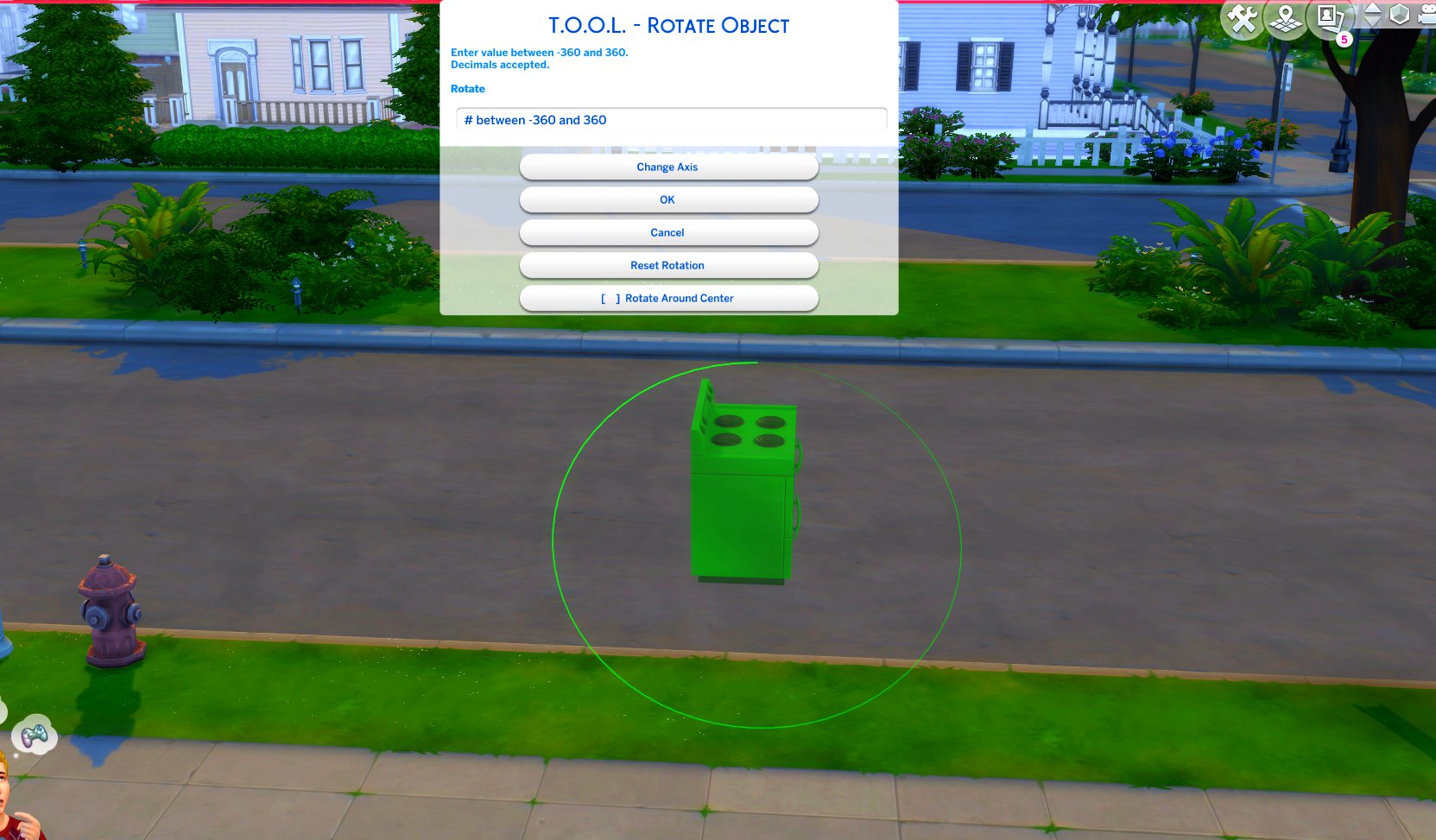
TOOL v2.3 brings a new feature called Rotate Around Center. It's a toggle in the rotate dialog that lets you choose whether group rotation will rotate all objects around their own axis, or around the group's center.
This video demonstrates the difference.
Many players requested this, as it'll allow them to rotate TOOL-only builds after they've finished, instead of having to plan which rotation they want to begin with. I hope everyone enjoys.
- Rotation Around Center added to Rotate Dialog
- Added an improved rotation indicator. The circle is now a gradient.
Dim = 0. Bright = 360.
Positive rotation amounts will always move dim -> bright.
❓❔❓ HOW TO USE ❓❔❓
TOOL Build Mode Quick-Start
- Better BuildBuy must also be installed.
- The usage is the same as regular TOOL, except you will automatically be placed in TOOL mode any time the TOOL dialog is open.
- Toggle TOOL in build mode by pressing Shift+T
- In addition, shift+clicking surfaces will automatically place a group box marker. This can be used in combination with the Toggle Group button to highlight many objects at once.
- When the TOOL extension is open, ctrl+z and ctrl+y will handle the TOOL undo/redo instead of the buildbuy undo/redo. Buildbuy undo still works when TOOL is closed.
- If you're new to TOOL entirely, refer to my original tutorial.
TOOL Live Mode Quick-Start
- No other mods are required.
- Need to enter testingcheats true or you can optionally force it always on using my AlwaysTesting mod.
- Shift+click objects for TOOL menu
- Shift+click surfaces for TOOL options menus.
- If you're new to TOOL entirely, refer to my original tutorial.
Install Instructions
⚠ FOLLOW IT WORD FOR WORD. ⚠
1. Delete any existing copies you have for TOOL.
2. DONT use any zip extract options. Instead, OPEN the "TwistedMexi's TOOL v2.7 RC1" zip by clicking it and drag the "Tmex-TOOL" folder inside to your mods root. That's it! Do NOT restructure or modify the files in any way.
3. Make sure 👉Script👈 Mods are enabled in gameplay options -> "Other". Restart if it wasn't.
Comments
TwistedMexi
It went public, you need v2.7 official to get the update notification to go away. TwistedMexi.com will take you to it
Sheila Renee Middleton
I keep getting a message saying T.O.O.L is outdated, but I can't find a more updated version than what I have v2.7RC2. Is there a newer version and where is it?
TwistedMexi
its here: https://www.patreon.com/posts/tool-v2-7-stay-93230948
jimmy
Hi, I can't find the download link.
KahluaMilk
Oooh... Then it must have been a glitch from a past version, cause the effect stayed for throughout my game up until now (like months). Maybe it had to do with how I messed with world lot or something. Thank you though!
TwistedMexi
TOOL can not and has not ever been able to delete EA world objects. If it's in the walking area then you might be able to delete it temporarily but it will reset as soon as you reload the lot.
KahluaMilk
Hi, I have an issue.. I had TOOL before and had modified a world and its lots (made them bigger in S4Studio). After that, I used TOOL to remove some world fir trees to make space for the lot. All was good. Then I accidentally updated the game, re-downlaoded the newer version, but decided to go to the previous Sims version and Mods folder backup I had, cause too many mods were broken again. Ever since, TOOL does not bring the option anymore to delete World trees, which btw re-appeared after this whole process on my lot. The trees are not clickable anymore too. I don't know if it's due to the current TOOL version or something else like a Mod. One thing I haven't checked yet is, K-Hippies retextures being the cause. Game Version 1.101.290.1030 World: Glimmerbrook Items: Fir Trees to ex bar lot PS: I had made backups, and essentially I have he version with its corresponsive Mods of that version which are updated.

szanne7000
✨❣️✨
TwistedMexi
It was already updated for the patch. If it's a UI exception there's some phone call mods that are causing a UI error and BE is mistaking TOOL for it because it's a dialog error.


TK8674
Hey there, just an FYI - according to Better Exceptions, as of today's update, this is broken
Wendy Hubble
Every time I think this mod can't get any better, you prove me wrong LOL
Trip
Thank you so much for your amazing mods